Connection types
Form: DEVIntegConnectionType — External integration → Setup → Connection types
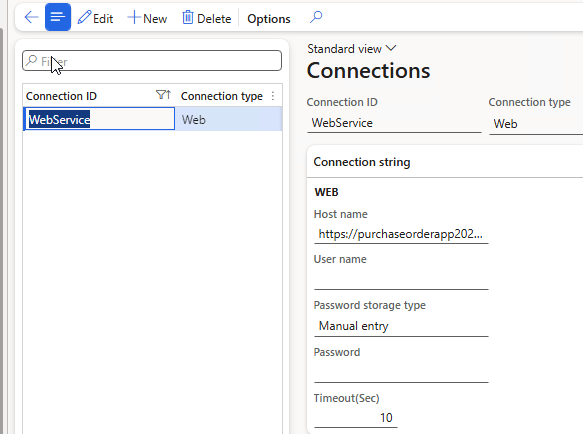
The central registry of external endpoints. Each record defines a channel — Azure File Share, Azure Service Bus, SFTP, Web service (REST), or an AI endpoint — with its host/URL, timeout, and credentials.
Credential storage
Passwords and keys can be stored in three ways:
- Manual entry — an unencrypted string, suitable for development. It survives database restores.
- Encrypted — an encrypted value.
- Azure Key Vault — a link to the standard D365FO key vault entry, the most secure option for production.
Servicing
A Test connection button validates the settings without running an integration — the first thing to try after a connectivity failure, before touching any message type.
For local testing scenarios you can create a Manual connection that requires no credentials at all; see the Manual connector.
Related
- Connector-specific setup notes: Azure File Share, Azure Service Bus, SFTP, REST / Web service, AI (LLM).